
Caxron CRM
Run leads, customers, appointments, and follow-ups on one desk. Caxron is licensed to your company and prepared for your team.

Sales and service, on the same CRM
Caxron keeps the pipeline, the customer record, and the next action together. DGTIA licenses it to your company, prepares the install, and sends setup by email so your team can activate and start work.
- Leads, customers, and deals
- Appointments and follow-ups
- Quotes, invoices, and service requests
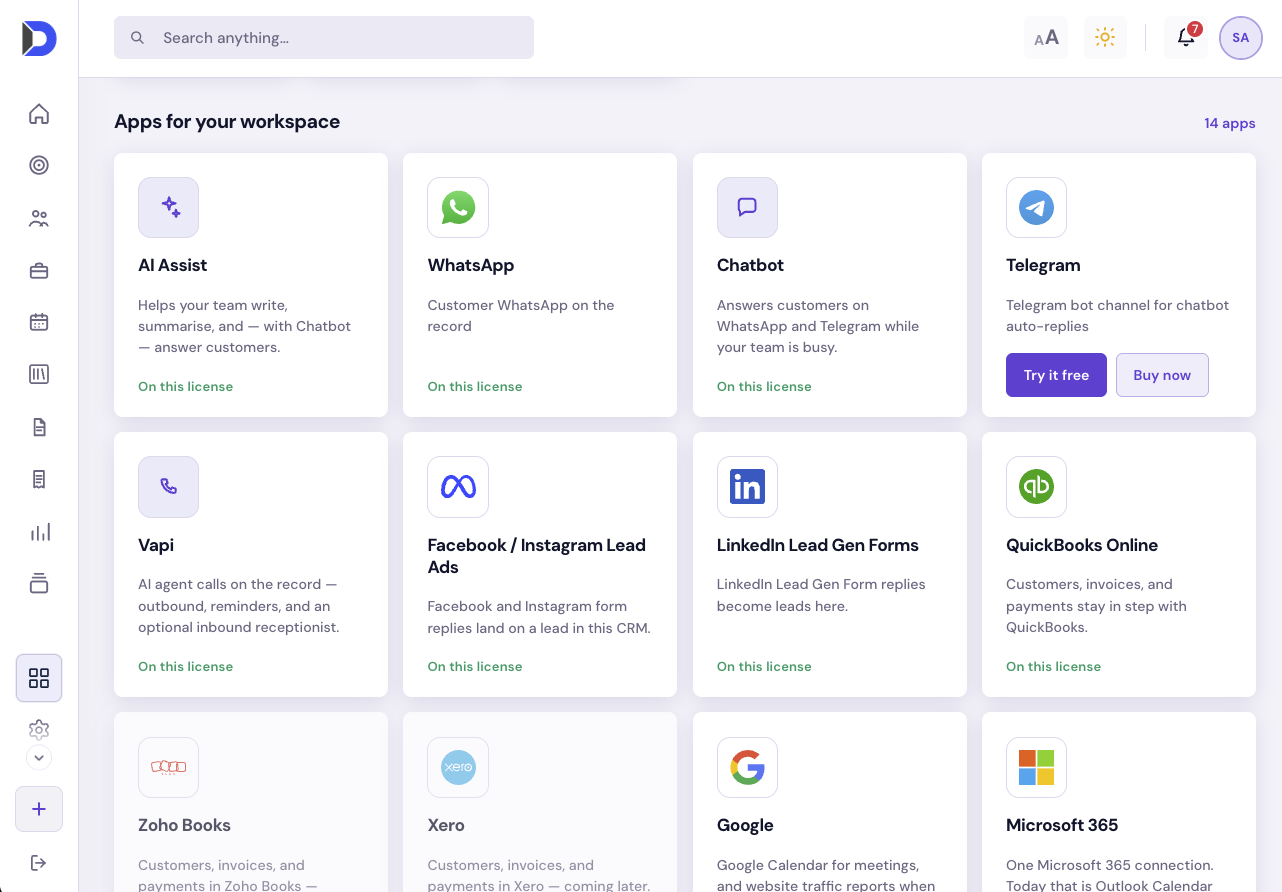
- WhatsApp, calendars, and QuickBooks
- Named seats on your company install
One desk for the relationship
Sales and service work the same records, with status, owner, and the next step in view.
Your company install
Licensed to your business. Your team works on your own CRM, with named seats.
Owners and due dates
Every lead, follow-up, and appointment has a named owner and a clear due date.
On the desk
The work your team does in Caxron every day.
Leads
Capture demand, assign an owner, and move each opportunity through a clear pipeline. Facebook and Instagram Lead Ads can land here directly.
Customers
Account, contacts, and history stay on one record, so the next conversation starts with context.
Deals
Track stage, owner, and value from a qualified lead through to close.
Appointments
Schedule meetings and visits with an owner and a reminder, and keep them aligned with Google Calendar.
Follow-ups
Give every promised call or visit an owner and a due date, including on the staff calendar.
Quotes
Send a price from the customer record and convert it when the customer accepts.
Invoices
Raise invoices from the CRM and send them to QuickBooks Online.
Service requests
Keep after-sales work on the customer record, with a named owner.
Documents, reports, and portal
Store files on the record, report on the pipeline, and give customers an optional portal.
How you go live
A short path from plan to a working company CRM.
-
Choose a plan
Basic, Premium, or Enterprise, with named seats for the people who will use the CRM.
-
We prepare your CRM
Your company install is configured to the plan and seats on your order.
-
Setup by email
Your company contacts receive the link and activation details.
-
Activate and invite
Create the first admin and invite the rest of the team.
Get Your Free Quote
Fill out the form below and we'll get back to you soon
Connectors
Bring the channels your team already uses onto the lead and customer record.
Keep WhatsApp conversations on the lead or customer inside the CRM.
Meta Lead Ads
Send Facebook and Instagram Instant Form leads into the pipeline.
LinkedIn Lead Gen
Turn LinkedIn Lead Gen Form replies into leads on the same pipeline.
Google Calendar
Sync appointments and follow-ups with Google Calendar.
Chatbot
Answer customers on WhatsApp and Telegram while your team is busy, on the same record.
QuickBooks Online
Send invoices raised in Caxron to QuickBooks Online.
Frequently asked questions
Plans, pricing, setup, and licensing. Live rates are on caxron.com/pricing.
Ready to Transform Your Business?
Join companies already using DGTIA to accelerate their digital transformation.